Latest UI/UX Designs


GoBeyond - Figma®

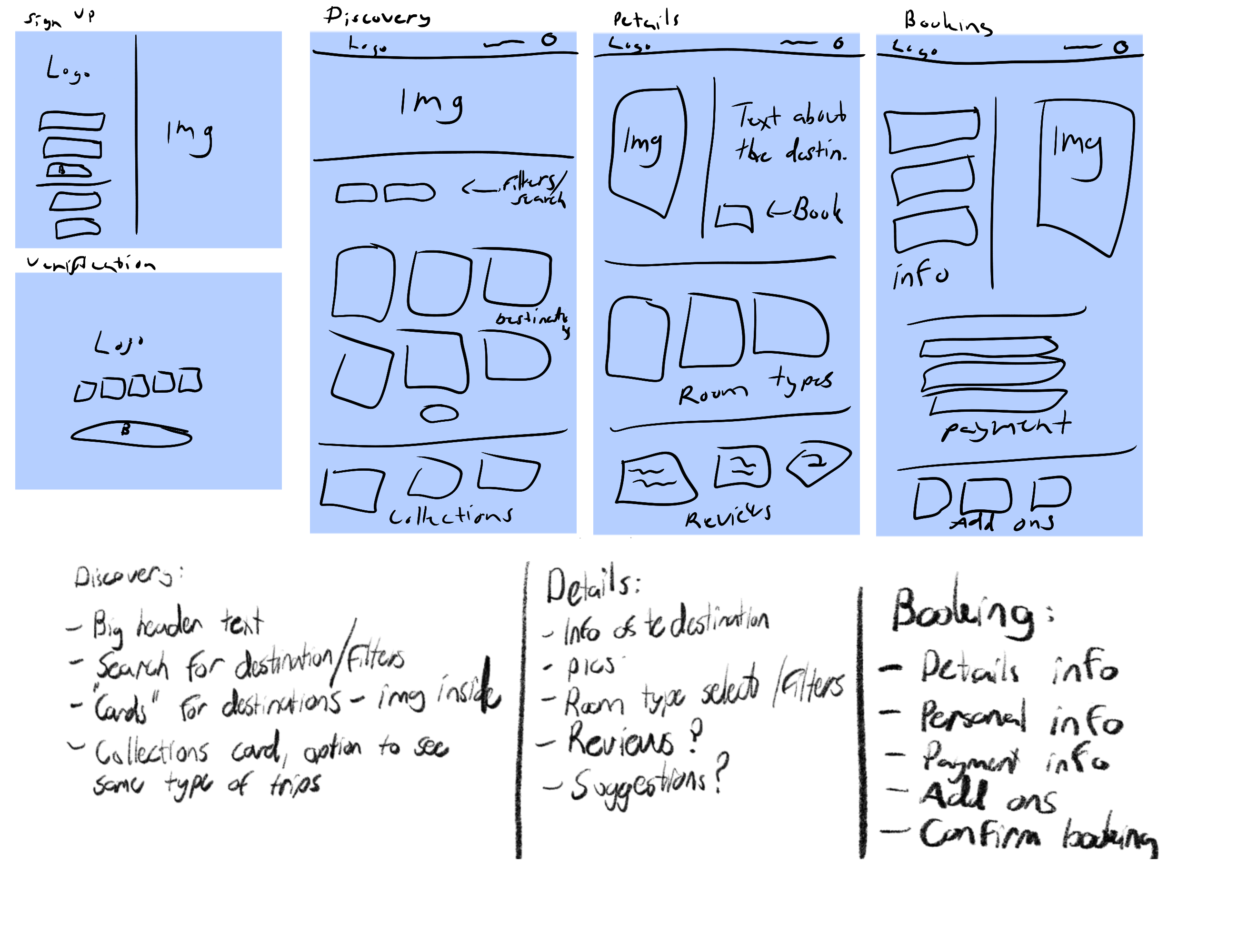
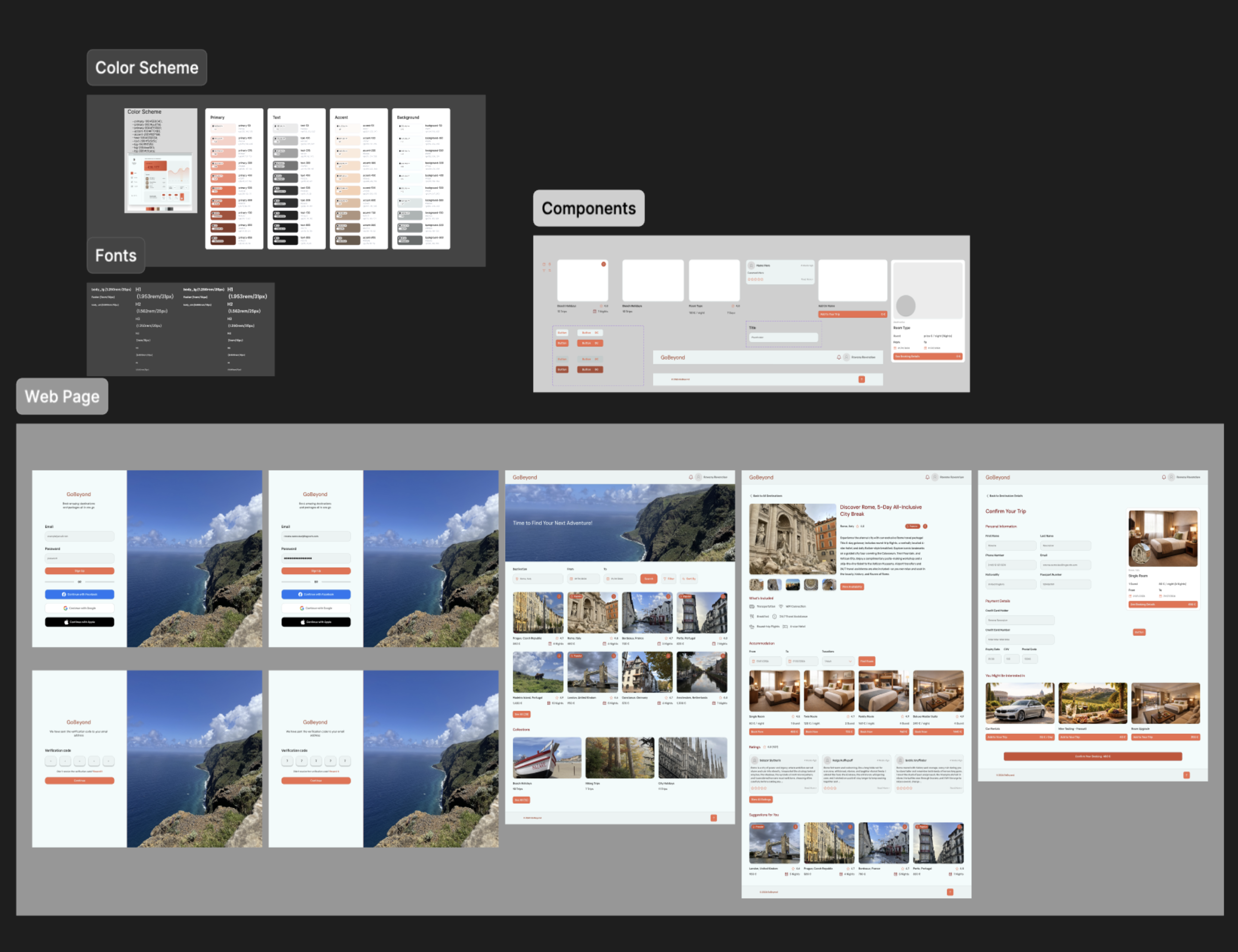
GoBeyond is a UI/UX design project for a travel website focused on offering curated travel packages and inspiring users to explore new destinations. The design process started with low-fidelity wireframes and hand-sketched ideas on my iPad, where I mapped out the site structure and defined the core features I wanted to include before moving into high-fidelity design.

The main goal was to create a visually clean and well-oriented interface by using a consistent color family and font family throughout the site. I worked extensively with variables for colors, typography, buttons, and icons to improve workflow efficiency and maintain design consistency. Reusable components—especially cards for destinations, add-ons, and rooms—were a key focus, allowing the design process to be faster, more precise, and easier to scale.

This project was primarily about learning how to properly organize a website by following UI design system principles, making the color scheme work harmoniously, and building reusable components and variables. All layouts are built using auto layout to keep the design structured, responsive, and visually balanced. All photography used in the main pages was taken by me, while images used in add-on cards and room cards were generated with AI.

This project was created as part of an online Udemy course and is still a work in progress, with further refinements and features planned.
FeelTheBeat. - Figma®


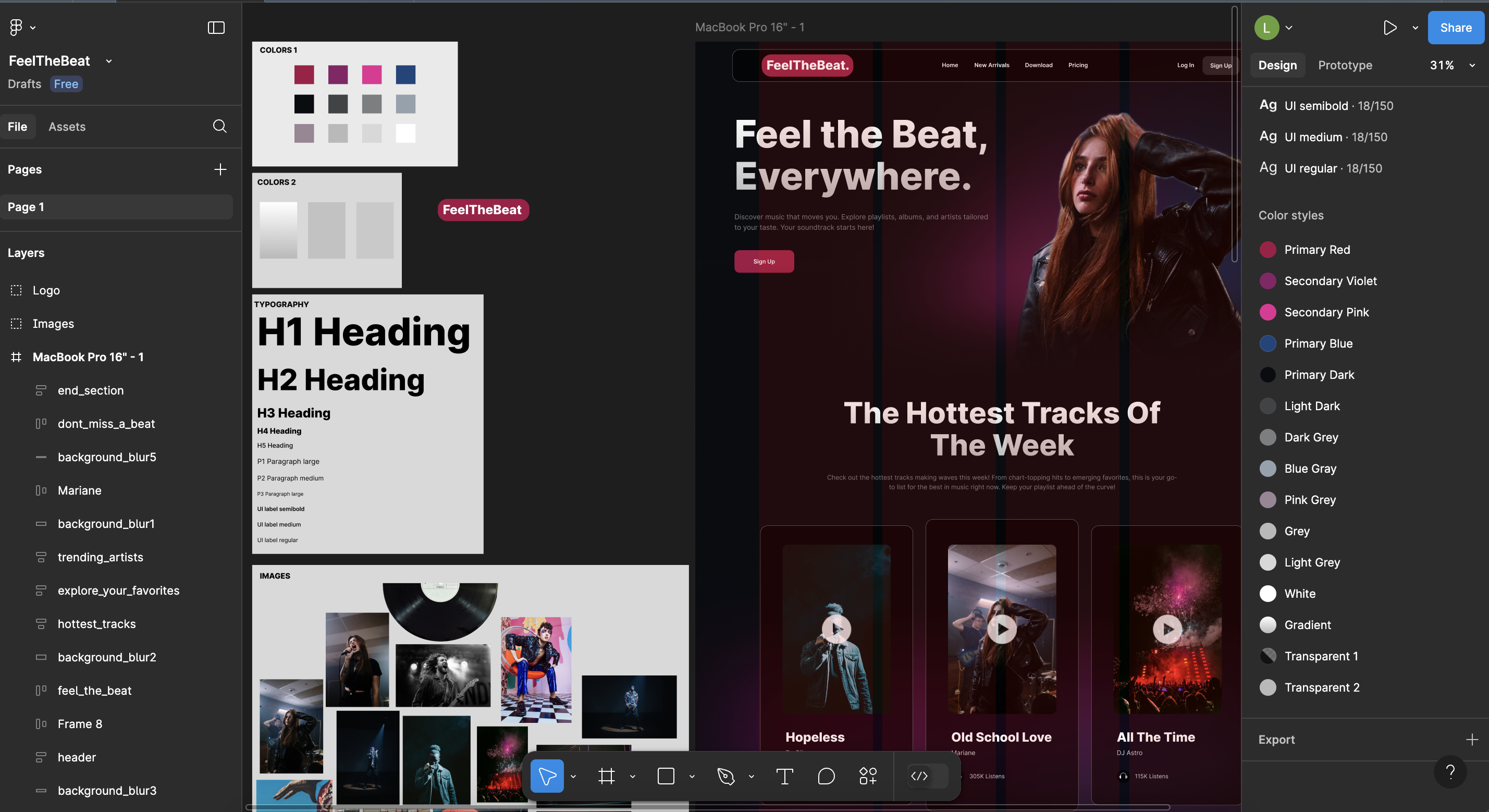
This is a landing page designed for a music streaming platform. In this project, I focused entirely on a logical workflow. I learned to structure the page content efficiently using a grid layout in Figma. Before creating the actual page, I set up local styles for colors and fonts, which I used throughout the project. These can also be seen on the right side of the image. I utilized Figma's Auto Layout feature to create a well-organized and structured design. All images used are free-to-use from Pexels. The artist names, text, and logo in the project are fictional and created by me.


LightsOn - Figma®


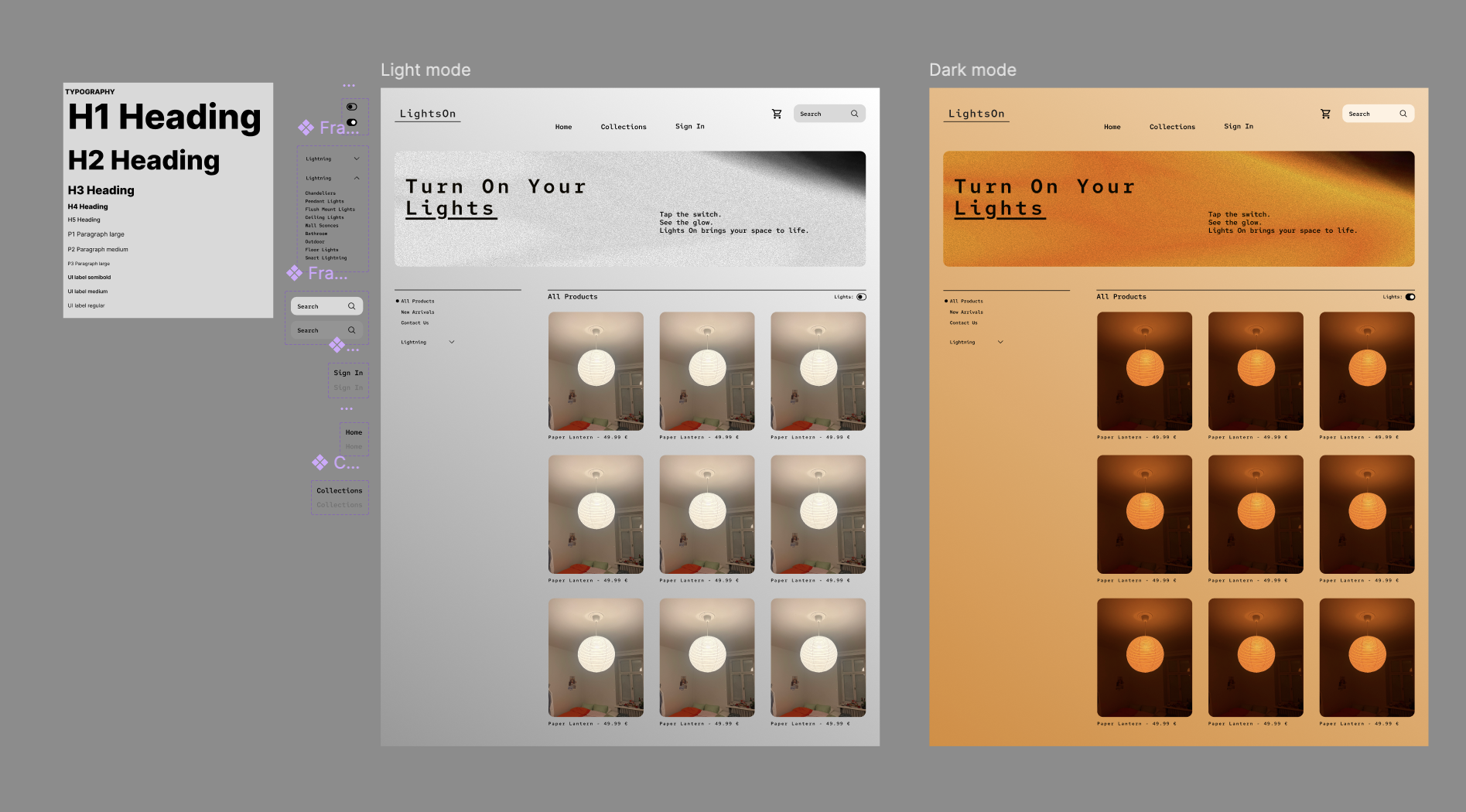
This project explores how to switch between different light modes to bring a sense of life and interaction to a simple website. I focused heavily on using a clean grid layout to keep the design systematic, balanced, and easy to navigate. The goal was to create a minimalistic but lively interface, supported by reusable components for a seamless workflow. All images are my own, and I created the hero image under the “Turn On Your Lights” text myself using Photoshop.


HealthyRecipes - Figma®


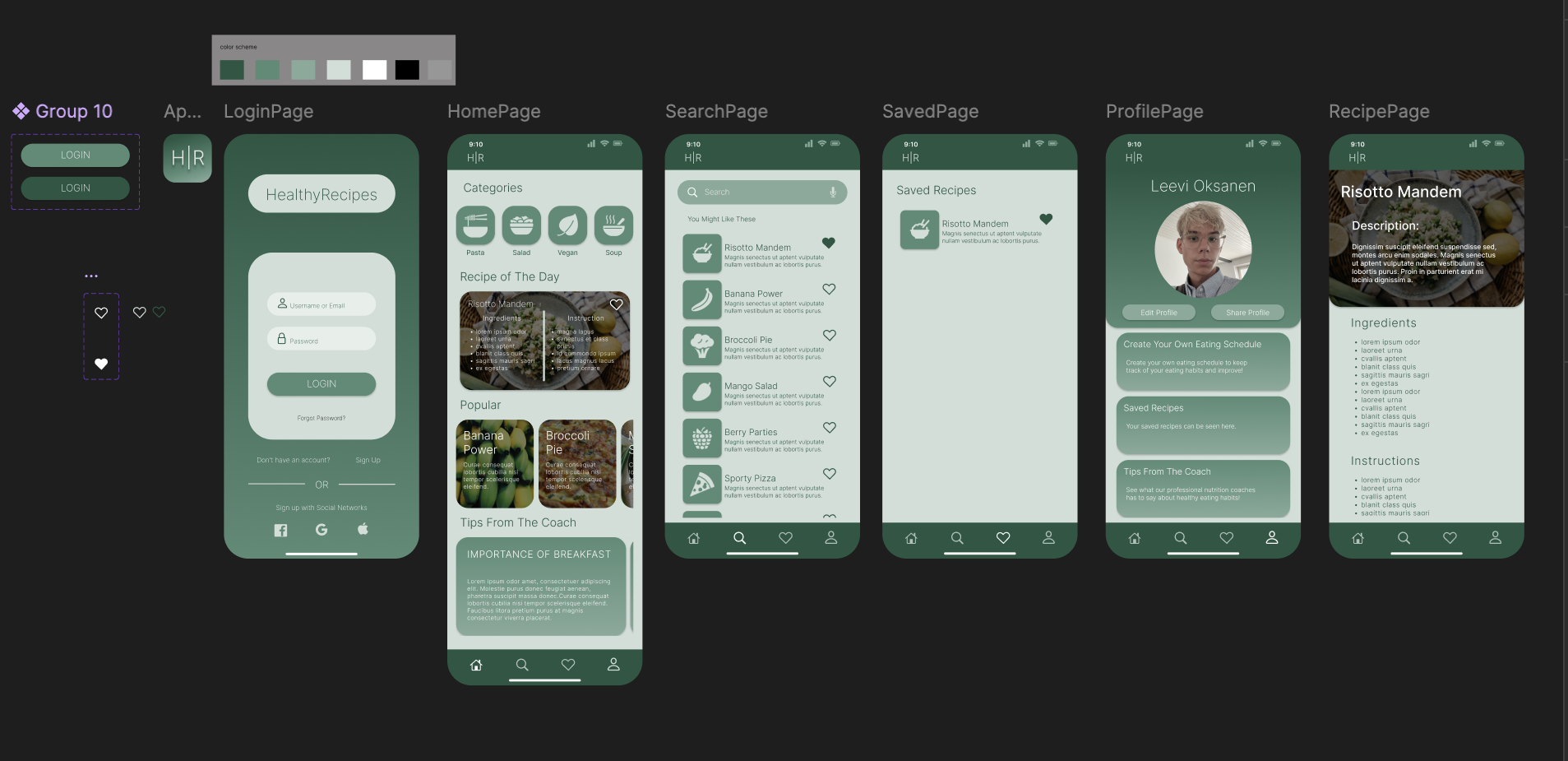
Here is an idea I developed for a mobile application to help users to follow a healthy diet and lifestyle. The application is called HealthyRecipes. In the project, I used an earthy and wellness-inspired color theme. The project highlights mastering basic skills in the Figma program. During the project, I learned to create components and different variations of scrolling. The idea of the application is to provide users with healthy yet nutritious meals and recipes. The app would allow users to create their own meal schedules and connect with professionals related to well-being. The amount of content is limited, as the project's focus was on exploring Figma's functionalities and the UI/UX design of the application. The video below demonstrates how the application would function in practice. All layouts and UI designs were developed by me, adhering to the universal design patterns of mobile applications.


PickYourShoe - Figma®


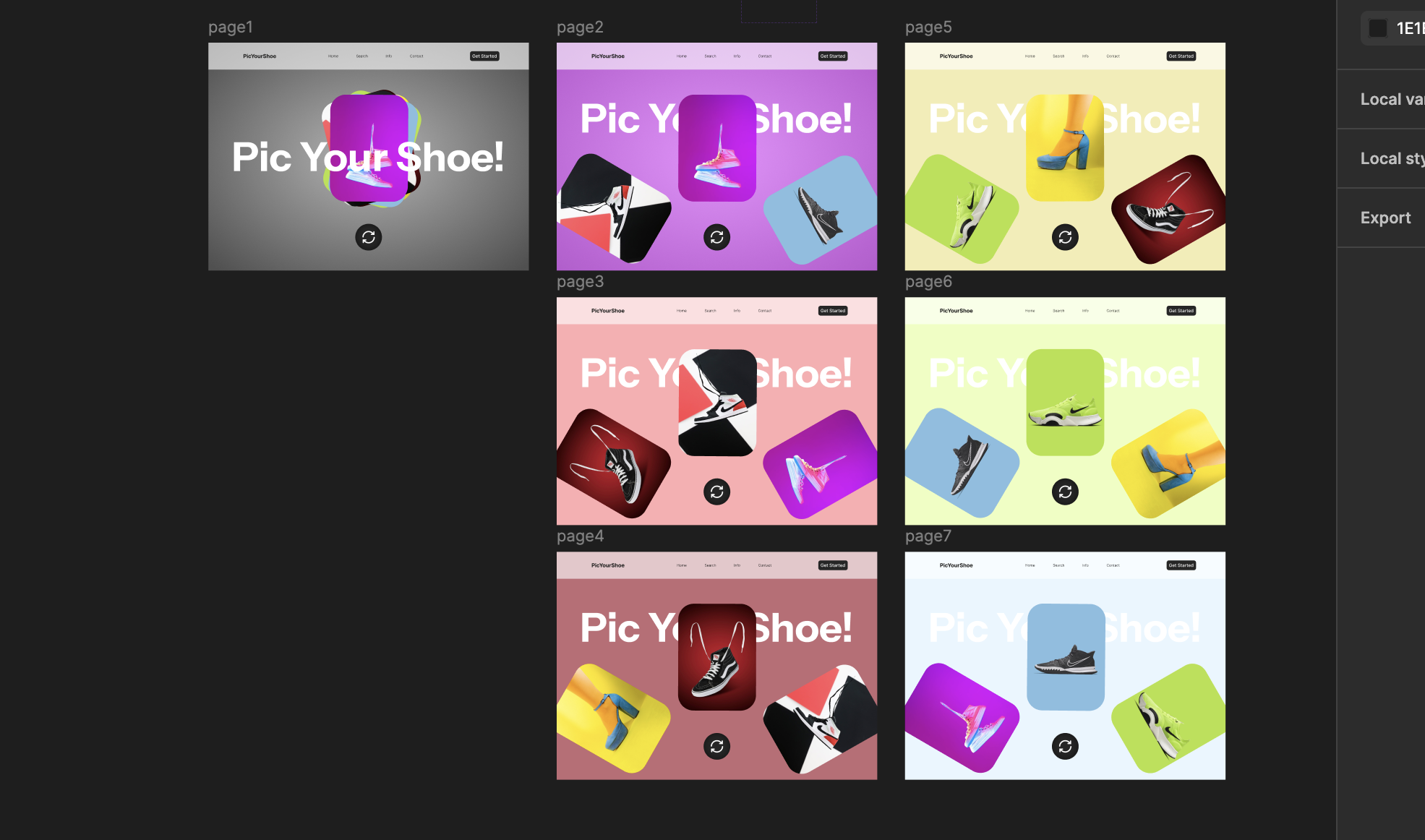
This project is called PickYourShoe. The goal was to create a seamless experience by connecting multiple pages while simulating a functional shoe selection interface. This project helped me practice navigation flows, transitions, and interactive elements within Figma. All images used are from free-to-use source with-in Figma.


Components - Figma®


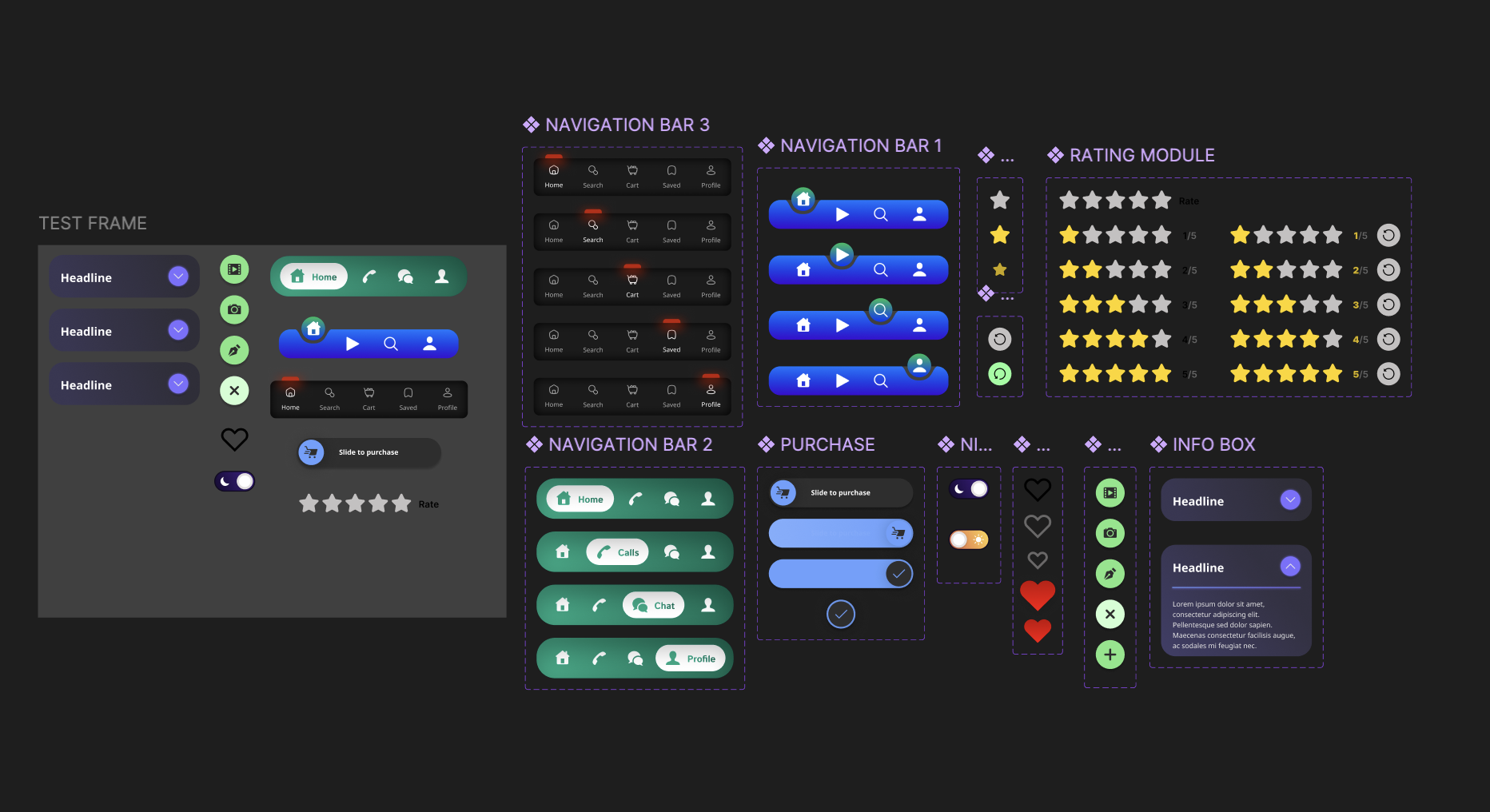
I created various components in Figma, focusing on learning how to prototype them effectively and explore different variations in prototyping. My main goal was to ensure smooth functionality using auto layouts and framing while minimizing repetitive steps.

Copyright © 2026 by Leevi Oksanen All Rights Reserved.